
how i created “steps of the embedded”
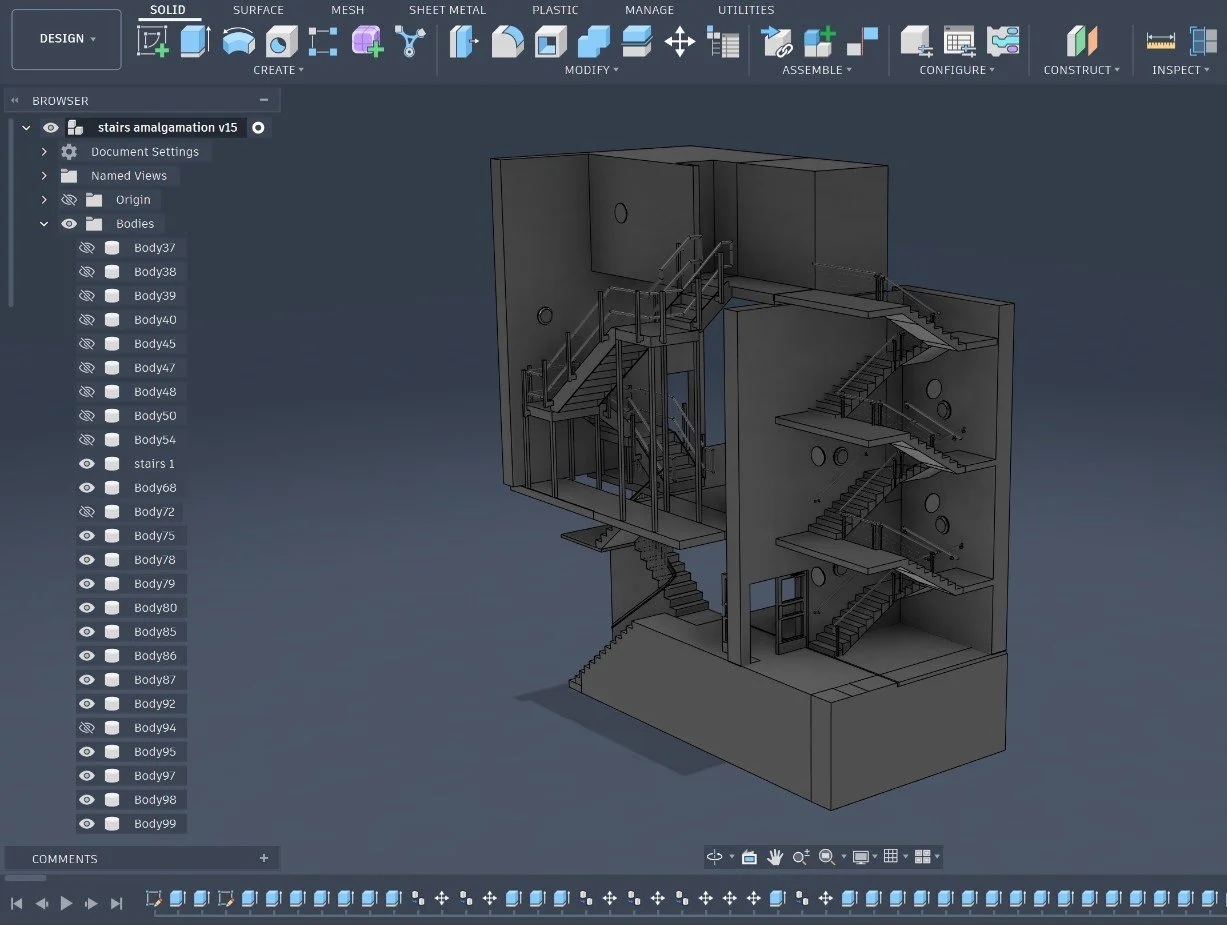
fusion 360
My original model was done in Fusion 360 by creating pathways using the 3D drawing option in the sketch drop down menu. This allows your to change axis while in the the same sketch.
Stairs need precise measurements so the sweep extrusion tool enables you to create a cylindrical body from a path provided there is a circular profile connected to the pathway sketch. This would preferably be running through the centre of the profile.
zbrush bas-relief
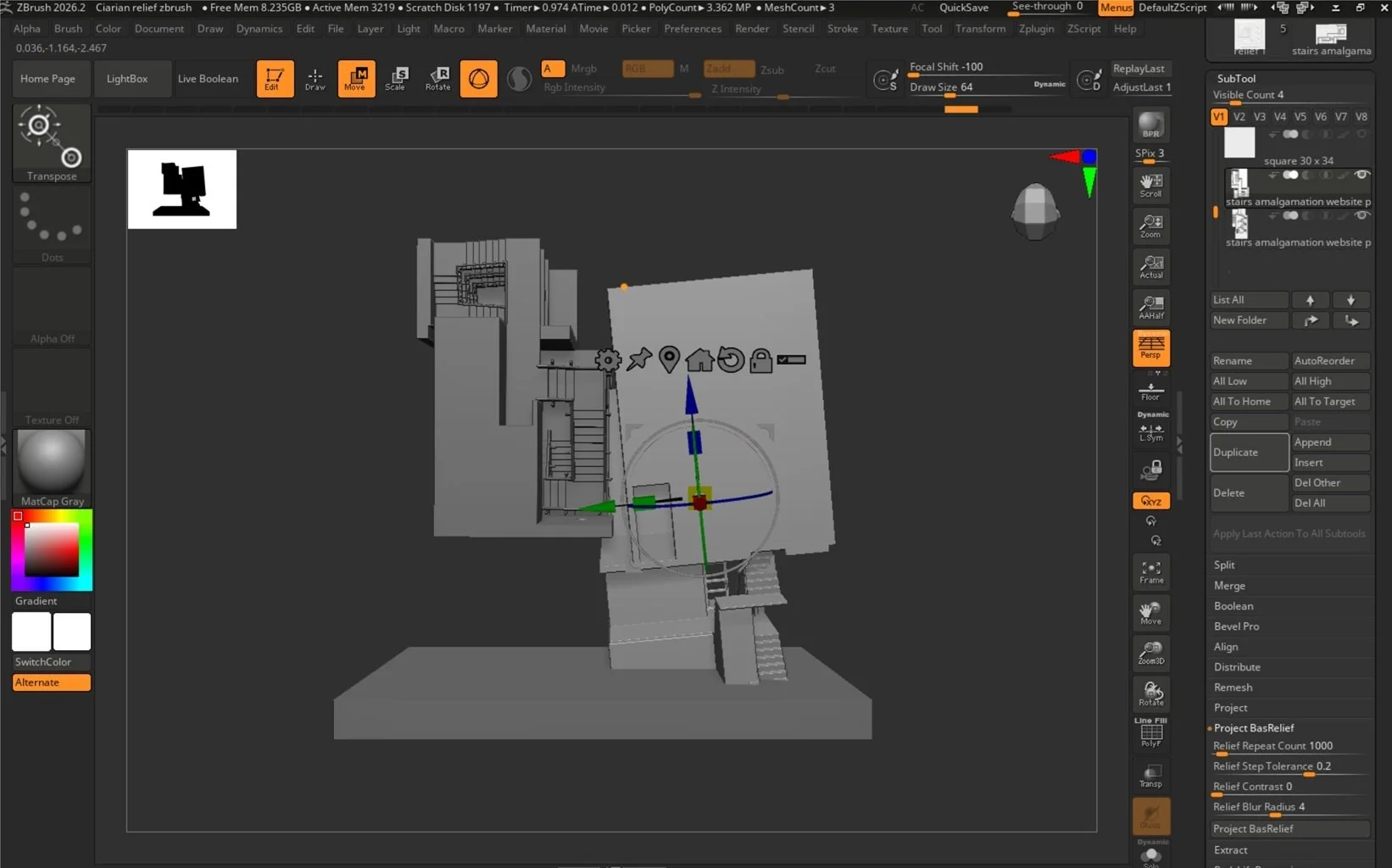
I moved to ZBrush to use the BasRelief feature. This functions as a 3D sensitive snapshot that projects that image onto the surface behind.
I imported the model as an .OBJ from Fusion and duplicated it to explored the perspectival possibilities. Again, I use the gimzo, the arrowed circle to change the rotation and the size of each model individually
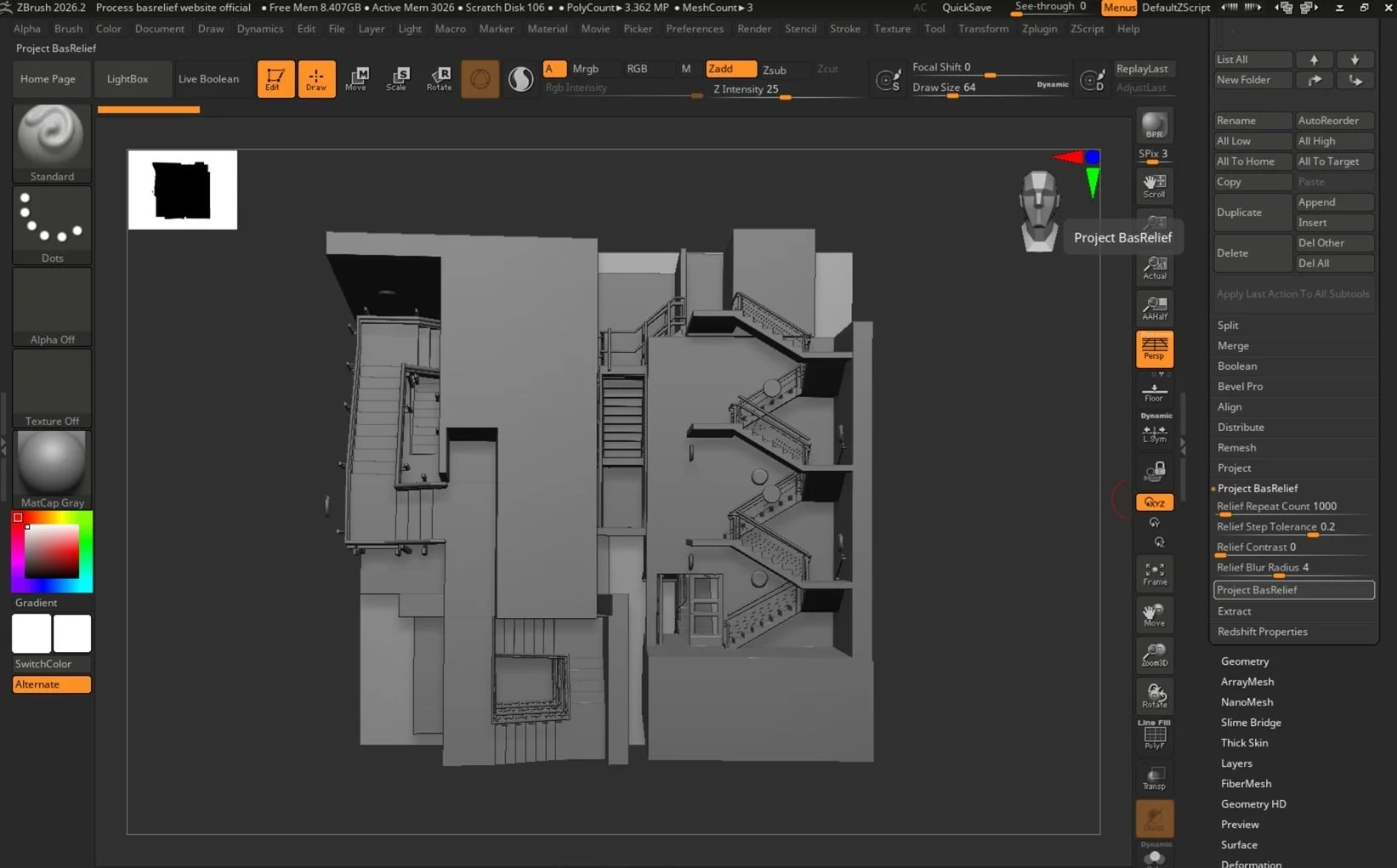
use zoom for clarity
The BasRelief creates an image based on the angle and perspective of view. Importantly, it has to be within the thinly grey-lined rectangle that stretches around the head on the right.
You want to zoom is as much as possible because that will increase the relief’s clarity. This area within the grey rectangle acts as a camera because the further away it is the worse the image.
However, the closer the model gets to the camera the steeper the angle, making it more difficult to judge how it aligns with the square surface behind.
the finished demo
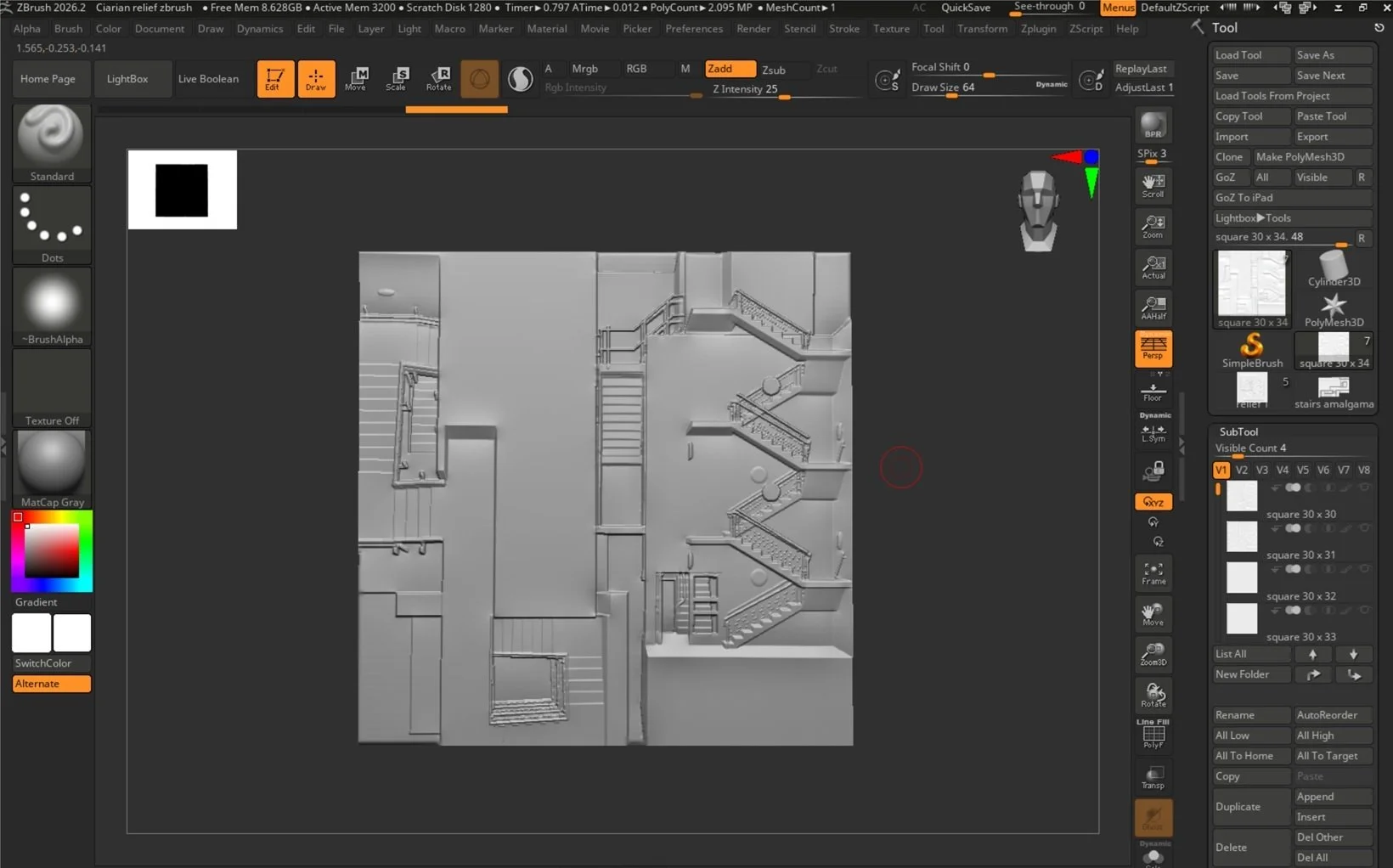
This is the finished demo and as you can see it is identical to the angle of the model.
This is the finished demo and as you can see it is identical to the angle of the model.
See how I created “Latent Encounters”, here